
Build 3 free AI apps using Google Gemini and Abacus AI—no coding required. Learn how to create AI images, voices, and videos with free prompts and step-by-step setup.
What if you could build your own AI storytelling studio—complete with characters, voices, and videos—without touching a single line of code?
Today, you’ll learn how to build 3 powerful AI apps for free using Google Gemini and Abacus AI.
✅ TABLE OF CONTENTS
Table of Contents
✅ SHORT ANSWER SUMMARY
You can build three fully functional AI applications—an image generator, a voice narrator, and a video creator—without coding by using Google Gemini Studio and Abacus AI. These apps allow you to create consistent characters, realistic dialogue, and animated clips for YouTube, TikTok, podcasts, ads, and storytelling channels. Everything works free or very cheaply, and downloadable prompts automate the entire build process.
✅ FULL BLOG CONTENT
🔥 Build 3 Free AI Apps With No Code (Stories, Voices & Videos)
If you’ve ever wanted your own AI storytelling studio—your own AI apps that generate character images, narrate scripts, and turn scenes into videos—this guide is for you.
And the best part?
You don’t need coding.
Not even a little.
Using Google Gemini Studio + Abacus AI, you will build:
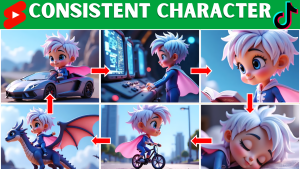
1️⃣ A consistent Character Image Generator
2️⃣ A realistic Voice Narrator App
3️⃣ A Video Story Creator Dashboard
Everything works with free tools or ultra-low cost models.
Get the prompt pack here:
👉 Download Free Prompt Pack: Free Prompt to Build SaaS Apps
📺 Full Video Tutorial: Build 3 Free AI Apps With No Code (Stories, Voices & Videos)
✨ Try Abacus AI: Chatllm (Abacus)
✨ Try Google AI Studio: Gemini
🌐 What You’re Building (3 Connected Apps)
App #1: AI Character Story Image Generator
Generates consistent characters across every scene. Perfect for:
- Faceless channels
- Story videos
- Animation frames
- Ads & campaigns
App #2: Text-to-Speech Story Narrator
Generates realistic voices for any script with:
- Multi-speaker detection
- Emotion sliders
- Pitch, speed, volume control
App #3: Video Story Creator App (Abacus AI)
Turns your images + prompts into cinematic clips using Sora 2 or Veo-style JSON prompts.
🧠 APP #1 — AI Character Story Image Generator (Gemini Free)
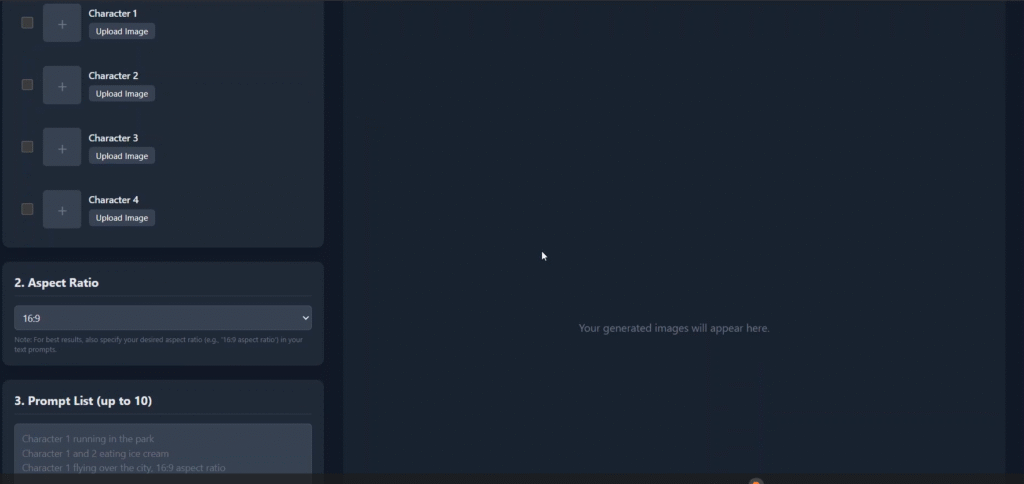
This solves the biggest problem in AI image creation:
Character inconsistency.
Even with Midjourney or Leonardo, faces often change model-to-model.
This free AI app fixes it permanently.
🔧 Build Steps
- Open Google Gemini Studio → App Builder
- Click “Build New App”
- Paste the prompt template
- Gemini auto-creates your app with:
- 4 image reference upload slots
- Aspect ratio dropdown
- Multi-scene prompt box
- Batch generator
- Download All button
- 4K output support
🎬 How it works
Each prompt = one image.
The app automatically reuses your reference images so the face stays consistent.
Works for:
✔ Kids stories
✔ Fantasy projects
✔ Anime
✔ Realistic film shots
✔ Pet stories
✔ Ads
🧩 Demo Example #1: King Kong Jr.
Use this for viral storytelling:
Prompt Gemini:
“Write a short movie story idea with three characters, including a character named King Kong Jr.”
Then ask it:
“Give me 10 scene prompts for this story.”
Upload reference images → paste prompts → Generate All.
You get 10 perfectly consistent scenes.
🎤 APP #2 — AI Voice Narrator App (Gemini Free)
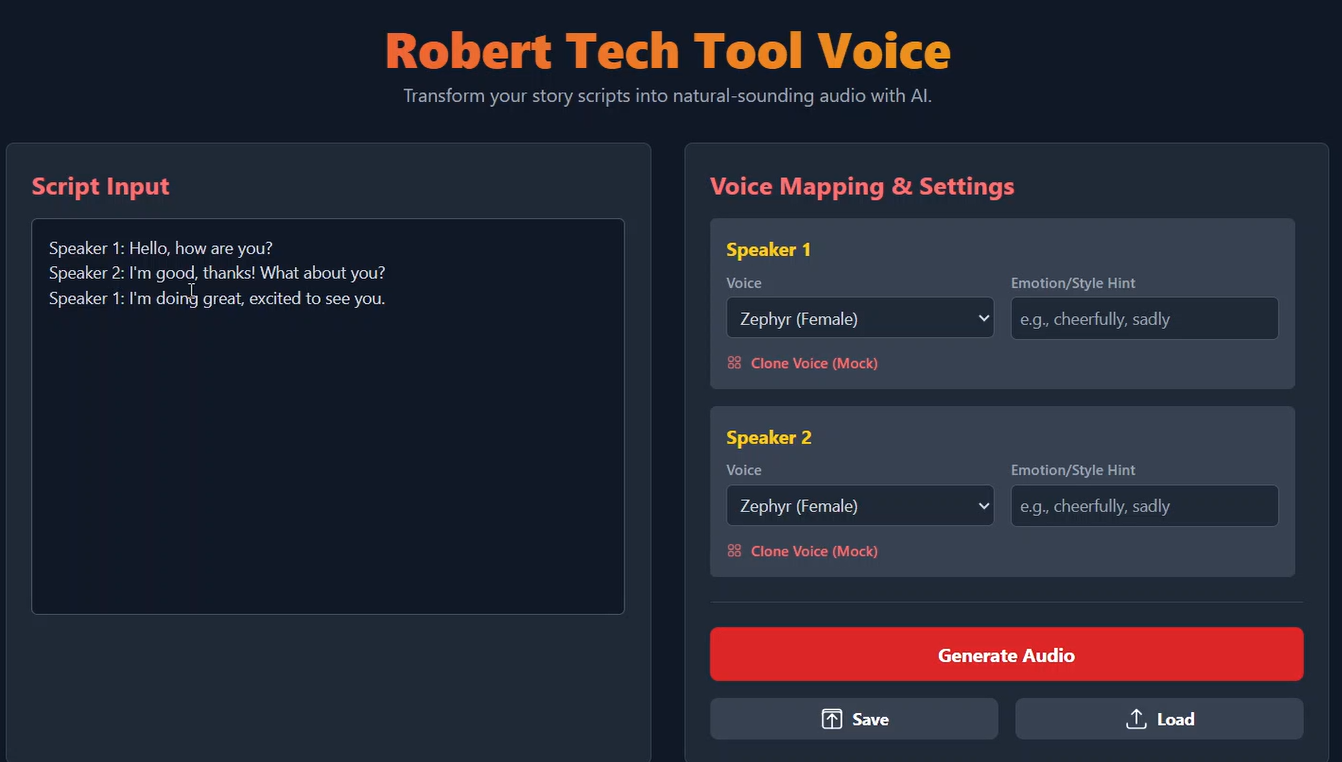
Your second app generates studio-quality voices.
This replaces:
❌ ElevenLabs
❌ Play.ht
❌ Minimax
🔧 Build Steps
- Build a new app in Gemini
- Paste the prompt
- Gemini builds:
- Multi-line dialogue input
- Speaker detection
- Voice selection
- Pitch, emotion, speed
- Preview buttons
- MP3 export
🗣 Test Example
Ask ChatGPT:
“Write a short dialogue between a young girl and a wise man.”
Paste → Select voices → Adjust emotion → Export MP3.
Done.
🎬 APP #3 — AI Video Story Creator (Abacus AI)
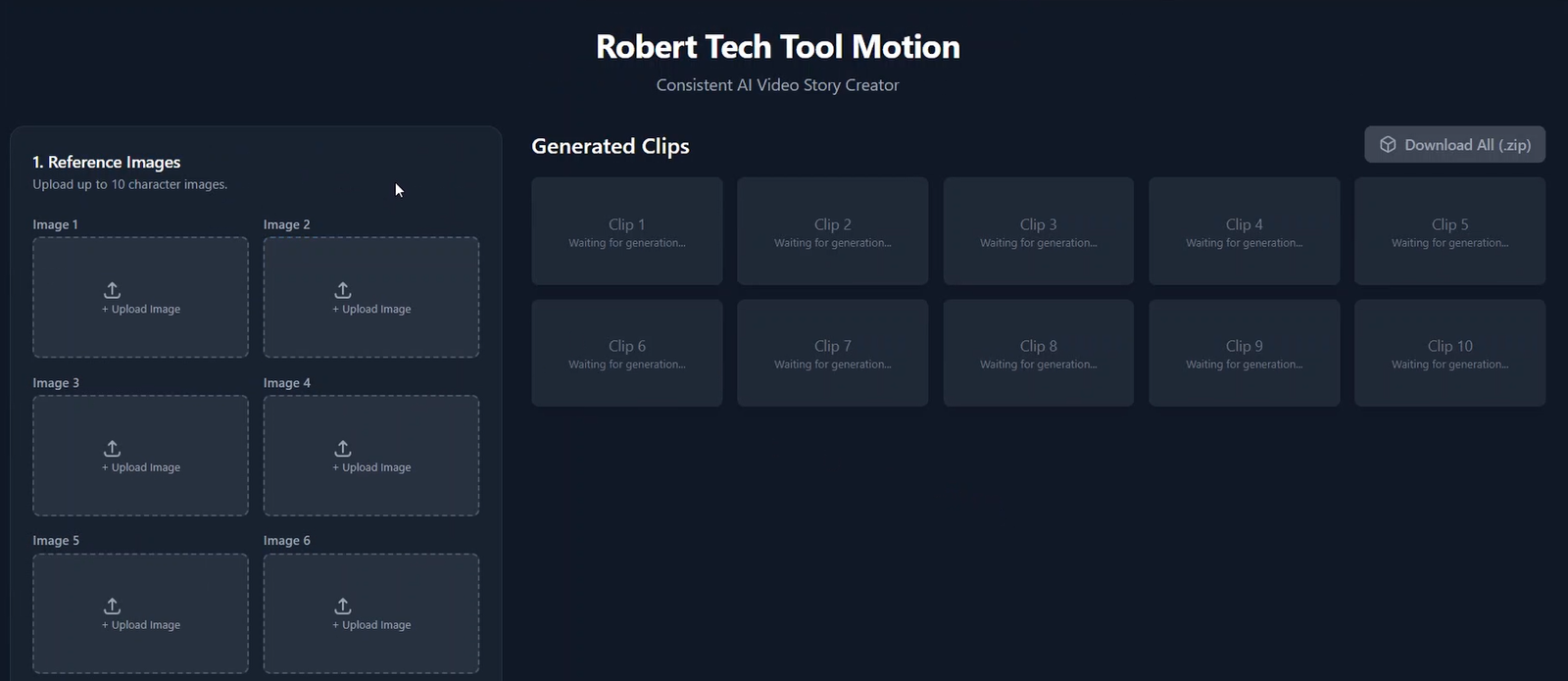
Gemini can’t switch video models yet.
So Abacus AI handles everything:
💡 Features
- 10 image upload slots
- JSON-style multi-line prompts
- Auto validator
- Sora 2 & Veo 3 model compatibility
- Batch video generation
- Merge-all-clips tool
- Auto naming system
🔧 Setup
- Sign in to Abacus AI
- Paste the prompt
- Upload your 10 images
- Paste your 10 JSON prompts
- Enter API key (DefAPI recommended)
- Select Sora 2 or equivalent model
- Generate all clips
Results export as:
- 001_xxx.mp4
- 002_xxx.mp4
- CombinedStory_xxx.mp4
🚀 COMBINE ALL 3 APPS INTO YOUR AI STUDIO
Use CapCut or Premiere Rush:
- Import images
- Add narration MP3
- Insert generated clips
- Add sound effects + music
- Export full AI short film
You now have your own AI storytelling studio.
💰 APP COST BREAKDOWN
| App | Tool | Cost |
|---|---|---|
| Image Generator | Gemini Studio | Free |
| Voice Narrator | Gemini Studio | Free |
| Video Creator | Abacus AI | ~$5 API + $10 |
| Total | Full AI Studio | Under $15 |
🛠️ COMMON ERRORS & FIXES
❌ Images mismatched
➡ Ask Gemini: “Allow renaming uploaded image labels.”
❌ JSON invalid
➡ Abacus auto-notifies—fix the missing bracket.
❌ Video too blurry
➡ Increase prompt detail or switch model.
❌ Wrong voice mapping
➡ Use “Speaker 1 / Speaker 2” labels consistently.
🔑 KEYWORD CLUSTER
- build AI apps no code
- Gemini Studio tutorial
- Abacus AI review
- Sora 2 video generator
- how to create ai story app
- AI voice narrator free
- no code ai tools 2025
- build ai studio
- ai storytelling workflow
- ai video generator tutorial
🧠 FAQ (SEO Optimized)
1. Can I build AI apps without coding?
Yes. Google Gemini App Builder and Abacus AI let you build full apps using natural language only.
2. Is Gemini Studio free?
Yes—image and voice generation currently cost $0.
3. Can I use these for YouTube?
Absolutely. These apps are ideal for faceless YouTube channels.
4. Do these apps remove watermarks?
Gemini outputs watermark-free images.
5. Is Abacus better than Gemini for video?
Yes—Abacus supports multiple video models.
6. How long does it take to build all 3 apps?
10–20 minutes using the prompt pack.
7. Do I need an API key?
Only for the video app.
8. Can I make long videos?
Yes—generate clips → merge them in CapCut.
🚀 FINAL CTA
Want all 3 prompt templates + automation setup?
Comment “Free Prompt to Build SaaS Apps” on YouTube and grab the download link here:
👉 Free Prompt to Build SaaS Apps


Pingback: Automate YouTube: Build 2 FREE AI Apps (No Code)
Pingback: Build Any Website Free, No Code: 7 Powerful AI Wins with One Prompt
Thank you for your good explanation.
i tried several time and checked follow your text.
Ready to Build Your AI App? No Code, No Problem this program. this page.
but i saw your app. but i cannot download and can’t use it .
if you have some other method to exe file program of this .
and i herard that if i subcribe your channel, then you can tell me of inform me
some other program down link or method.
please let me know how to use this . i totally hope to use this program
waiting your reply asap
thank you
Thank you for your kind words and for trying the tutorial 🙏
Just to clarify, the apps shown in this post are web-based no-code AI apps, not downloadable .exe programs, so they work directly in your browser.
Glad to hear it’s been helpful — thanks for watching! 🎉 Your prompts are now unlocked 🎁
You can use these prompts to build your own AI apps: AI voice agent prompt, chatbot prompt, and website builder prompt.
📥 Download the prompts here:
https://drive.google.com/file/d/1KvOXpjM1mh0uR8IJ6muWFXlNSokGSzUl
Follow the steps in the guide using these prompts, and you should be able to build successfully. More tools and methods will be shared soon!