
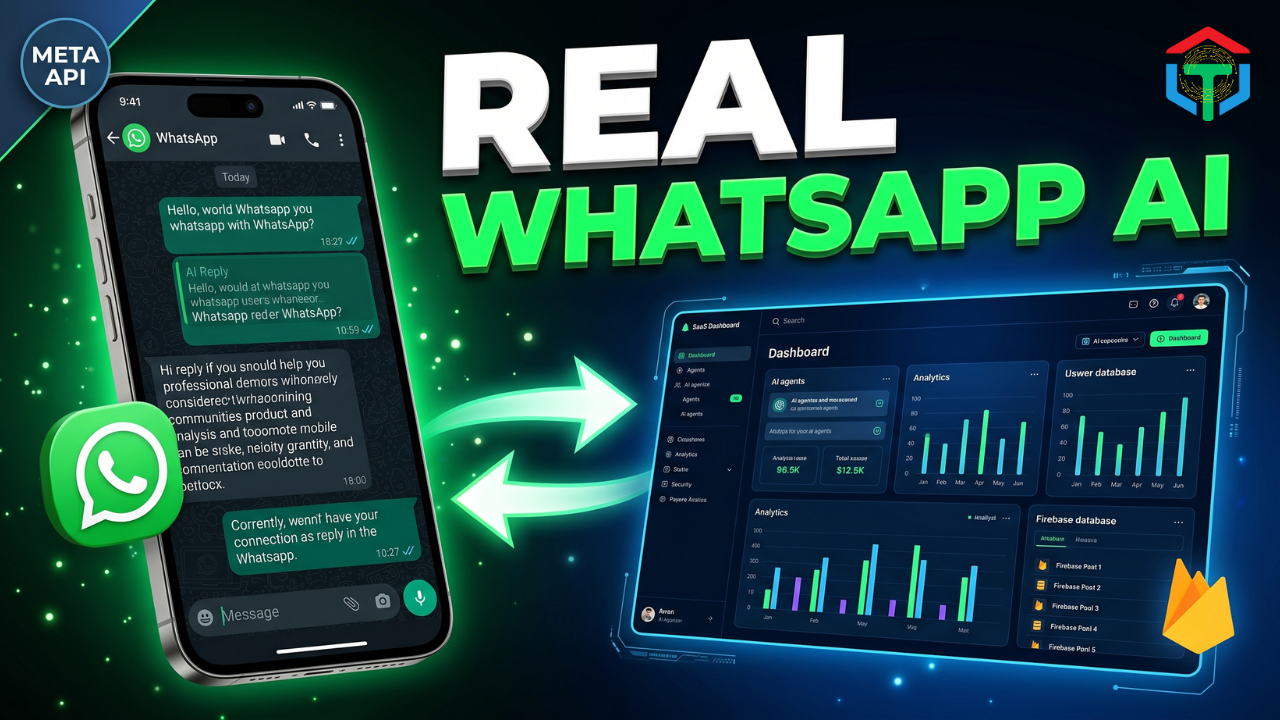
Build Your Own WhatsApp AI Agent SaaS with Google AI Studio (Real Meta API + Firebase + Unlimited AI Agents). Learn how to create a scalable AI business platform with multi-agent architecture, WhatsApp automation, Firestore storage, and production-ready deployment.
What if you could build a complete AI SaaS platform where businesses create AI employees, connect them to WhatsApp, train them on company knowledge, and automate customer support 24/7?
The best part? You can do it without hiring a team of developers by leveraging Google AI Studio, Firebase, Gemini AI, and the official Meta WhatsApp Cloud API.
What You’ll Learn
✔ How to Build Your Own WhatsApp AI Agent SaaS with Google AI Studio
✔ How to create unlimited AI agents
✔ How to connect the official Meta WhatsApp Cloud API
✔ How to store conversations in Firebase
✔ How to create business-specific AI knowledge bases
✔ How to deploy production-ready AI SaaS applications
✔ How to solve common webhook issues
✔ How to scale your AI agency business
✔ How to architect a multi-tenant AI platform
✔ How to create recurring revenue with AI automation
Table of Contents
- Short Answer Summary
- What is Google AI Studio?
- Why Google AI Studio Matters
- Pros & Cons
- Step-by-Step Tutorial
- Example Outputs
- Best Prompts, Templates & Settings
- Common Errors & Fixes
- Comparison Table
- Advanced Tips & Shortcuts
- Tools Mentioned
- Recommended Resources
- Readers Also Viewed
- FAQ
- Schema Markup
- Final CTA
Table of Contents
Short Answer Summary
Build Your Own WhatsApp AI Agent SaaS with Google AI Studio by combining Google AI Studio, Gemini AI, Firebase Firestore, and the Meta WhatsApp Cloud API. This architecture enables businesses to create unlimited AI agents, train them using company knowledge, automate customer communication, store conversations, and scale into a fully operational AI SaaS platform.
What is Google AI Studio?
Google AI Studio is Google’s AI development environment that allows developers, entrepreneurs, and businesses to build AI-powered applications using Gemini models.
Instead of manually coding every component, Google AI Studio enables users to:
- Generate application architecture
- Build backend systems
- Create AI workflows
- Generate frontend interfaces
- Connect APIs
- Deploy AI-powered SaaS products
When combined with Firebase and WhatsApp Cloud API, it becomes an incredibly powerful platform for building AI automation businesses.
Why This Approach Is Different
Most tutorials focus on building a simple chatbot.
This approach focuses on building:
- Multi-agent architecture
- Multi-client SaaS platform
- Knowledge management system
- WhatsApp integrations
- Persistent memory
- Firestore backend
- Production deployment
This transforms a chatbot into a real software business.
Why Google AI Studio Matters
Why Build Your Own WhatsApp AI Agent SaaS with Google AI Studio?
The AI market has evolved rapidly.
2024 was about learning AI.
2025 was about implementing AI.
2026 is becoming the year of AI orchestration.
Businesses increasingly want:
- AI customer support
- AI appointment booking
- AI lead qualification
- AI sales assistants
- AI knowledge assistants
Most companies do not want to build these systems themselves.
That creates a massive opportunity.
By learning to Build Your Own WhatsApp AI Agent SaaS with Google AI Studio, you can offer AI automation services to:
- Restaurants
- Real estate agencies
- Medical clinics
- Ecommerce stores
- Coaches
- Solar companies
- Law firms
- Financial advisors
Real Business Opportunity
Imagine managing:
| Client | AI Agent |
|---|---|
| Restaurant | Reservation AI |
| Real Estate | Lead Qualification AI |
| Clinic | Appointment Booking AI |
| Ecommerce | Customer Support AI |
| Solar Company | Sales Assistant AI |
Each client pays monthly.
Your platform handles everything automatically.
Pros & Cons
Pros
✅ Rapid development
✅ No large development team required
✅ Official Meta integration
✅ Unlimited AI agents
✅ Multi-client support
✅ Firebase scalability
✅ Real-time database
✅ Gemini intelligence
✅ Business knowledge training
✅ Recurring revenue potential
Cons
❌ Initial setup complexity
❌ Meta API approval process
❌ Webhook configuration challenges
❌ Firebase costs increase with scale
❌ Requires architecture planning
Step-by-Step Tutorial
Step 1: Design the Architecture
The biggest mistake beginners make is starting with the frontend.
Instead:
- Open Google AI Studio
- Create a new project
- Enable:
- Database & Auth
- Voice Conversations
- Gemini Intelligence
- Gemini Chatbot
- Low Latency Responses
- High Thinking
These settings dramatically improve architecture quality.
Why Architecture Matters
Your architecture determines:
- Scalability
- Performance
- Reliability
- Security
Think of architecture as the blueprint before constructing a skyscraper.
Step 2: Build Firebase Backend
Firebase becomes the single source of truth.
Store:
- Users
- Workspaces
- AI Agents
- Conversations
- Messages
- Analytics
- Knowledge Bases
Recommended Firestore Collections:
users
workspaces
agents
contacts
conversations
messages
knowledge
analytics
Step 3: Create Unlimited AI Agents
Build Your Own WhatsApp AI Agent SaaS with Google AI Studio Using Multi-Agent Design
Each AI agent should have:
- Name
- Business Category
- Personality
- Knowledge Base
- WhatsApp Number
- Memory Settings
Examples:
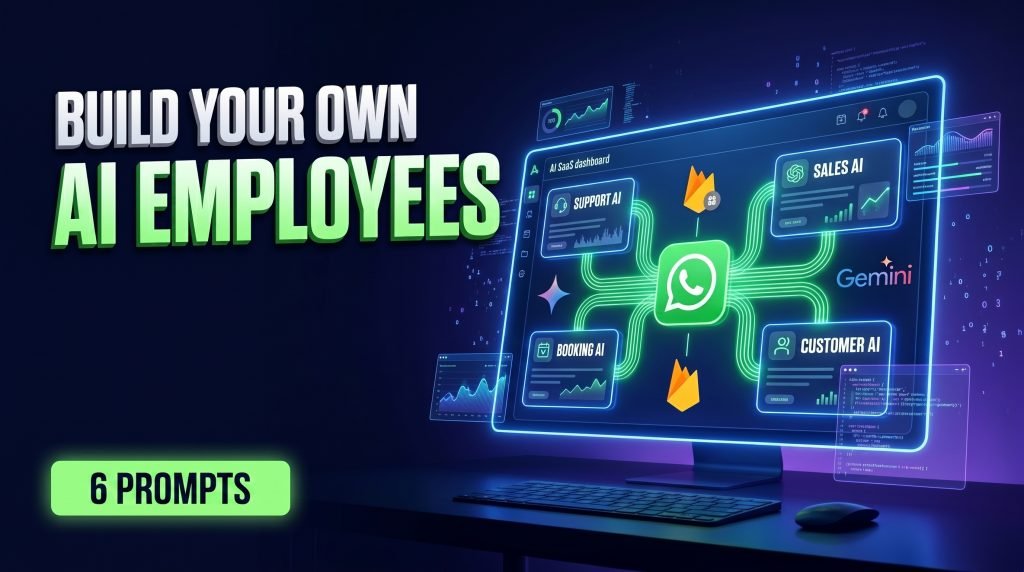
Customer Support AI
Answers FAQs automatically.
Sales AI
Qualifies leads.
Booking AI
Schedules appointments.
Real Estate AI
Handles property inquiries.
Step 4: Train Business Knowledge
Upload:
- PDFs
- DOCX files
- FAQs
- Website URLs
- SOP documents
The AI creates embeddings and searchable knowledge.
This is what transforms generic AI into business-specific AI.
Step 5: Connect Meta WhatsApp Cloud API
Create:
- Meta Developer Account
- Meta App
- WhatsApp Product
- Business Portfolio
Collect:
- Phone Number ID
- Business Account ID
- Access Token
Store securely.
Never hardcode credentials.
Step 6: Build SaaS Dashboard
The dashboard should include:
- User Management
- Agent Management
- Conversation History
- Analytics
- Knowledge Base
- WhatsApp Connections
“Build Your Own WhatsApp AI Agent SaaS with Google AI Studio (Real Meta API + Firebase + Unlimited AI Agents)”
🎥 Watch the Full Build Tutorial
If you prefer to follow the entire process step-by-step, I created a complete video walkthrough showing exactly how I built this WhatsApp AI Agent SaaS platform from scratch using Google AI Studio, Firebase, Gemini AI, and the official Meta WhatsApp Cloud API.
In the tutorial, you’ll see:
- The complete multi-agent architecture setup
- Firebase database design and Firestore collections
- Real WhatsApp Cloud API integration
- AI knowledge base training
- Multi-tenant SaaS workspace configuration
- Webhook troubleshooting and debugging
- Production deployment workflow
- How to create unlimited AI agents for multiple clients
- The exact system I used to build the platform shown in this guide
Whether you’re building an AI automation agency, launching your own SaaS startup, or creating AI-powered client solutions, the video provides a complete visual walkthrough of every major step.
🎁 Get the Complete 6-Prompt Build System
Many readers have asked about the specialized prompts used throughout this build.
The system consists of six dedicated prompts:
- System Architecture Engineer
- Firebase Backend Engineer
- Multi-Agent AI Framework Engineer
- WhatsApp Cloud API Integration Engineer
- SaaS Dashboard Engineer
- QA & Deployment Engineer
These prompts work together like a virtual AI development team, producing significantly better results than trying to build everything with one giant prompt.
🚀 How to Access the Prompts
As mentioned in the video, if the tutorial reaches 30,000 views, I’ll release the complete 6-prompt build system, updated workflow, and production-ready Firebase architecture guide completely free for everyone.
However, if you don’t want to wait for the 30K milestone, you can get immediate access to the latest version of the resources, prompts, workflow updates, and supporting materials through the link provided in the video description.
This allows you to start building your own WhatsApp AI Agent SaaS platform right away and follow along with the exact process demonstrated in the tutorial.
Common Errors & Fixes
| Problem | Cause | Fix |
|---|---|---|
| Webhook not verifying | Private URL | Deploy publicly |
| No WhatsApp response | Messages not subscribed | Enable Message Events |
| Data missing | Firestore not configured | Verify writes |
| Token expired | Temporary token | Use permanent token |
| Agent hallucinating | Poor knowledge base | Upload better data |
Comparison Table
| Feature | Google AI Studio | OpenAI API | Claude |
|---|---|---|---|
| Gemini Models | Yes | No | No |
| Native Google Ecosystem | Yes | No | No |
| Firebase Integration | Excellent | Manual | Manual |
| Rapid Prototyping | Excellent | Good | Good |
| SaaS Architecture Support | Excellent | Good | Good |
Advanced Tips & Shortcuts
Use Specialized Prompts
Don’t use one giant prompt.
Use six specialist prompts:
- Architect
- Backend Engineer
- AI Engineer
- WhatsApp Engineer
- Frontend Engineer
- QA Engineer
This dramatically improves output quality.
Verify Everything
Never trust the UI.
Always verify:
- Firestore writes
- Webhook events
- API responses
- Conversation storage
Recommended Resources
- SaaS Billing: 3 Powerful Proven Steps to Build a Real Payment System
- How to Build 3 Free AI Apps With No Code (Stories, Voices & Videos) | Gemini + Abacus
- Build Any Website Free, No Code: 7 Powerful AI Wins with One Prompt
6-Prompt WhatsApp AI SaaS Build System
Keyword Cluster
- WhatsApp AI Agent
- AI SaaS Platform
- Google AI Studio Tutorial
- Firebase Firestore
- Gemini AI
- Meta WhatsApp API
- WhatsApp Automation
- AI Customer Support
- AI Business Automation
- AI Agency
- Multi-Agent System
- AI Employee
- WhatsApp Business API
- AI Knowledge Base
- AI Automation Business
- SaaS Development
- Firestore Database
- AI Chatbot Builder
- AI Workflow Automation
- Google Gemini AI
- Firebase Authentication
- Cloud Functions
- AI Startup Ideas
- AI Business Platform
- AI Lead Generation
- AI Appointment Booking
- Conversational AI
- AI Automation Agency
- AI Software Business
- AI SaaS Builder
FAQ
1. What is a WhatsApp AI Agent SaaS?
A platform that allows businesses to create AI-powered WhatsApp assistants for customer communication and automation.
2. Can I build this without coding?
Yes. Google AI Studio significantly reduces coding requirements.
3. Is Firebase required?
Firebase is highly recommended because it provides authentication, storage, and scalability.
4. Do I need the Meta API?
Yes. The official WhatsApp Cloud API is required for production deployments.
5. Can I create multiple AI agents?
Yes. The architecture supports unlimited AI agents.
6. Is Google AI Studio free?
Google offers free tiers, but usage limits apply.
7. Can I sell this as a SaaS?
Absolutely.
8. Can businesses upload their own knowledge?
Yes.
9. How are conversations stored?
Using Firestore collections.
10. Why is my webhook failing?
Most commonly because the callback URL is not publicly accessible.
11. Can I use Gemini for customer support?
Yes.
12. Is this scalable?
Yes, when designed properly.
Final CTA
Ready to Build Your Own WhatsApp AI Agent SaaS with Google AI Studio and create a scalable AI automation business?
Start by designing your architecture, connecting Firebase, deploying the Meta WhatsApp Cloud API, and building your first AI employee. The businesses that learn how to orchestrate AI specialists today will be the ones dominating the next generation of software companies tomorrow.
Comment “WHATSAPP AI AGENT SaaS Prompt” to access the complete 6-prompt system, production-ready Firebase architecture workflow, and advanced AI agent deployment resources. 🚀



WHATSAPP AI AGENT
Thanks for commenting! 🔥 The WhatsApp AI Agent SaaS prompts are part of a full 6-prompt AI development system. Free release at 30K views. Don’t want to wait?
👉 https://www.ebay.com.au/itm/318467988044
WHATSAPP AI AGENT SaaS Prompt
Super work
Thank u
Thank you! 🤖 I’m giving away the full WhatsApp AI Agent SaaS Build System FREE at 30K views. If you’d like the prompts today, access them here:
👉 https://www.ebay.com.au/itm/318467988044