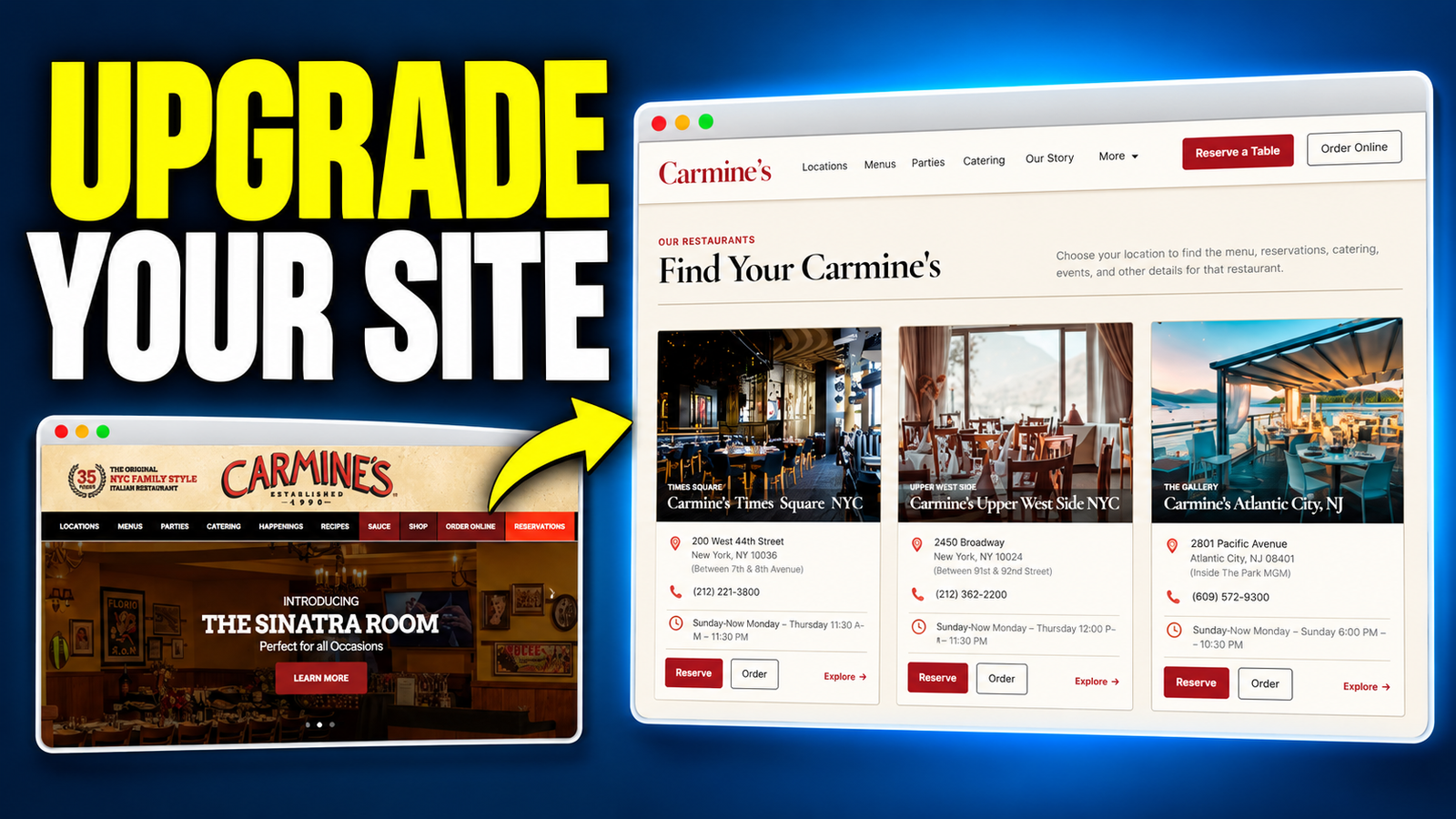
A business website needs to do more than look impressive. Customers need to find the right service, submit a request, complete a booking or reach the correct ordering system. The owner needs a practical way to keep the information current.
You can rebuild a business website with Google AI Studio by dividing that work into eight focused stages: business planning, implementation planning, visual design, page structure, data, customer functions, owner controls and final testing.
The same approach also works when there is no existing website. Start with a business brief, define what customers should be able to do, and build around those requirements.
This guide expands the workflow from the Robert’s Tech Toolbox tutorial. The restaurant example uses Carmine’s as an independent redesign concept; it should not be read as an official commission, endorsement or replacement for the business’s live systems.
Watch the full tutorial: Rebuild a Business Website With Google AI Studio.
Quick answer: To rebuild a business website with Google AI Studio, first approve the business requirements and design. Then build the page structure, connect persistent data, implement one customer journey at a time, add owner controls, and test the deployed result. The eight prompts organize this process; additional repair and feature runs may still be necessary.
At a glance: This is a practical guide for business owners, freelancers and creators who want an editable website with useful customer functions. The central idea is to give each build stage a clear input, an inspectable output and a test before proceeding.
Key takeaways
- Begin with an existing website URL or a new business description.
- Preserve useful booking, ordering and payment systems unless replacing them is an explicit requirement.
- Approve the visual direction before connecting business logic.
- Verify storage, permissions and customer outcomes separately.
- Treat the eight prompts as a repeatable workflow, not a guarantee of eight total AI messages.
In this guide
Table of Contents
Why Rebuild a Business Website With Google AI Studio?
A website rebuild is an opportunity to improve how a business works online.
For a restaurant, that might mean separating reservations, takeaway orders and private-event enquiries. For a repair company, it might mean collecting useful information before preparing a quote. For a salon, it might mean making an existing booking service easier to reach.
These are different journeys. Giving every business the same attractive homepage misses the decisions that determine whether the website is useful.
Google AI Studio supports building applications through natural-language instructions. Its Build mode documentation describes a full-stack web environment, with React as the default frontend and a Node.js server runtime.
That gives the builder a foundation for pages, server logic and integrations. You still need to specify the business rules and verify the generated result.
What “no code” means in this workflow
“No code” describes how you direct the build: through prompts and visual review rather than manually writing the application.
The resulting website still contains code. It also has dependencies, access rules and operational responsibilities. AI can generate those pieces, but a polished preview does not establish that they are correct.
A useful question is: Can I demonstrate the outcome this feature promises?
For an owner editor, demonstrate a saved change appearing publicly. For an enquiry form, demonstrate a stored request that the owner can find. For a notification, demonstrate the message reaching a test recipient.
Why use eight prompts instead of one?
The tutorial’s creator describes earlier tests in which visual improvements were accompanied by regressions in functions and the admin dashboard.
Splitting the work creates checkpoints. If saving content fails, you can investigate the data foundation before adding a full editing interface. If a customer notification fails, you can focus on that journey without redesigning the homepage.
Eight is the structure of this particular workflow, not a universal requirement. A simple brochure website may need fewer stages; a complex application may need many more iterations.
For the earlier cinematic approach, read Build a REAL Website With Google AI Studio Using 4 AI Prompts. That tutorial is the starting point for the original four-prompt workflow and its free prompt resources.
What to Prepare Before You Build
Gather the information that prevents AI from making unnecessary assumptions.
| Input | What to include |
|---|---|
| Business facts | Name, services, locations, hours and contact details |
| Starting material | Existing website URL or a clear new-business brief |
| Customer goal | Enquire, request, book, order, pay or call |
| Existing systems | Booking provider, ordering platform, calendar or other operational tools |
| Brand assets | Approved logo, photographs, colours and useful existing copy |
| Owner tasks | Content, images, navigation or settings the owner needs to change |
| Launch requirements | Domain, hosting, account ownership and acceptance criteria |
Mark unknown information explicitly. Do not let AI invent testimonials, certifications, availability, prices or business policies.
For a client project, agree which content is approved for use and who controls each external account. A website rebuild does not automatically transfer access to the business’s booking or ordering systems.
Decide what the first release actually needs
Choose the smallest version that serves a real business goal.
A repair business might initially need service pages, a quote form and protected enquiry review. A salon may need service information and a reliable link to its existing booking provider.
Document optional features separately. This keeps attractive extras from delaying the customer journey that matters most.
The 8-Prompt Google AI Studio Website Workflow
The eight main prompts are labelled 1, 2, 2B, 3A, 3B, 3C, 3D and 4. Prompt 3C can be repeated for another required business module.
| Stage | Main input | Main output | Check before continuing |
|---|---|---|---|
| 1: Business blueprint | URL or brief | Requirements and workflow decisions | Is the business represented accurately? |
| 2: Implementation pack | Accepted blueprint | Shared build, design and content instructions | Are fields and behaviours consistent? |
| 2B: Stitch design | Pack and screen map | Approved visual screens | Do desktop and mobile designs agree? |
| 3A: Page structure | Blueprint, pack and design | Routes, layouts and reusable components | Can visitors navigate the intended pages? |
| 3B: Data foundation | Structure and data contract | Persistent content and protected access | Do storage and permissions work? |
| 3C: Business module | Verified foundation | One complete customer journey | Can the same request be traced through the system? |
| 3D: Owner dashboard | Working data and modules | Practical editing and management controls | Can an owner complete real tasks? |
| 4: Final checks | Requirements and actual build | Test evidence, repairs and launch decision | What passed, failed or remains blocked? |
Optional resource: Get the complete 8-Prompt Website Upgrade System used in the tutorial. This is the paid prompt pack. You can also write your own instructions using the process below.
Step 1: Create the Business Blueprint
Prompt 1 establishes what the website needs to accomplish.
Provide the existing site or business brief, services, audience, main goals and systems already in use. Ask the planning assistant to distinguish verified information from assumptions and unanswered questions.
The output should explain what to keep, what to improve, which pages matter and what happens after a visitor takes action.
Define the customer journey before the page design
“Add bookings” is too vague to guide a reliable implementation.
Does the customer book an immediately available appointment? Submit a preferred time for owner review? Open an external booking service? These experiences need different wording, data and confirmation behaviour.
For the restaurant example, separate reservations, ordering and event enquiries. A visitor requesting a private event should not receive wording that implies a confirmed reservation.
Assign one authoritative system to each function
Record where the final answer lives.
An existing reservation provider may remain responsible for availability and confirmation. A native enquiry module may store requests in the new application. A payment provider may determine whether a transaction succeeded.
When two systems are involved, specify whether they are actually connected. Similar records in two dashboards do not prove synchronization.
Checkpoint: You should be able to explain each main customer journey in plain language, including who handles the next action.
Step 2: Turn the Blueprint Into an Implementation Pack
Prompt 2 converts the accepted business plan into shared instructions for design and development.
The core outputs are:
- IMPLEMENTATION_SPEC.md: pages, customer journeys, validation, integrations, data identifiers and acceptance criteria.
- DESIGN.md: typography, colours, spacing, reusable patterns and mobile behaviour.
- CONTENT_ASSETS.md: approved copy, button labels, form messages and image requirements.
The handoff also includes STITCH_SCREEN_MAP.md and the Prompt 2B design brief.
Specify what “editable” means
An owner editing contract should map each control to a stored value and an observable effect.
| Owner control | Stored value | Expected public effect |
|---|---|---|
| Hero headline | Approved headline field | Homepage headline changes after publishing |
| Service description | Selected service record | Correct service description updates |
| Section visibility | Visibility setting | Selected section appears or disappears |
| Button destination | Validated destination | The intended button opens the new destination |
| SEO title | Page metadata | The page’s title metadata updates |
This prevents a dashboard from becoming a collection of controls that only change their own preview.
Define whether saving creates a draft or immediately changes the public site. If the interface offers both Save and Publish, the implementation must preserve that distinction.
Keep identifiers consistent
A field should mean the same thing across the specification, database, public page and owner editor.
If later prompts rename collections or create competing content models, earlier features can stop working. Tell the builder to reuse the accepted contract and explain any necessary change before applying it.
Checkpoint: Every important owner control and customer action should have a defined result and a way to test it.
Step 3: Approve the Website Design in Google Stitch
Prompt 2B turns the implementation pack into a visual design handoff.
Provide the complete accepted Prompt 2 output, including the screen map and content requirements. Review the main layout first, then expand into the remaining planned screens.
Google describes Stitch as supporting design export to developer tools, including AI Studio. Use the export or sharing option available in your account, and confirm that the next tool can access the actual design.
Use the screen map to control scope
The tutorial uses sixteen planned desktop and mobile frames. That is a project design budget, not a universal Stitch limit or a maximum website page count.
Repeated pages can share a template. Several locations, services or products may use one layout with different content.
Review navigation, spacing, buttons, form fields, mobile menus and the visibility of the primary customer action. Include useful empty, loading and error states where they affect the journey.
Approve usability as well as appearance
A beautiful hero section does not help if visitors cannot find the reservation button or understand a form error.
Check whether headings explain the business, labels describe the action and mobile layouts remain readable. Fix these issues while they are still design decisions.
Checkpoint: The approved screens should give the builder a clear visual target and represent the required customer and owner tasks.
Step 4: Build the Page Structure in Google AI Studio
Prompt 3A starts implementation in Google AI Studio.
Provide the accepted business blueprint, the full implementation pack and the approved Stitch handoff. If you export from Stitch first, add the remaining planning materials before asking AI Studio to implement the structure.
Ask it to establish routes, navigation, reusable components, responsive layouts and page content.
Keep the first implementation focused
Open every planned page. Follow the main links. Inspect the mobile menu, content wrapping and image cropping.
A form that is not connected yet must not pretend to submit successfully. It can be clearly identified as awaiting implementation until its data and server behaviour exist.
Save an identifiable working checkpoint before proceeding. Record what is implemented and what remains unconnected.
Checkpoint: The page structure should match the approved plan closely enough that later stages can concentrate on behaviour.
Step 5: Connect Persistent Data and Owner Access
Prompt 3B adds the foundation for saved content and protected owner functions.
Google’s full-stack AI Studio documentation describes Firebase integration for Firestore and authentication, alongside server-side secrets and external API connections.
Enable the required integration when prompted and confirm that the application uses the intended project.
Prove that the application reads stored data
A useful persistence check is:
- Change a test content field through the application.
- Save it and confirm the corresponding stored value.
- Refresh the editor.
- Open a separate browser session.
- Confirm that the application retrieves the saved value.
- Publish it if drafts and public content are separate.
- Verify the public result.
A refresh alone can be misleading if the application is relying on browser storage. Inspecting the authoritative record and checking a separate session provide stronger evidence.
Test authorization separately from sign-in
Authentication identifies the user. Authorization determines what that user may access or change.
Test an approved owner, an ordinary account and a signed-out visitor. Public visitors should not gain access to private enquiries or unpublished content.
Firestore Security Rules can restrict client access. Firebase also documents that server client libraries bypass those rules, so privileged server operations require appropriate authorization and IAM configuration.
A hidden dashboard link is not an access-control test.
Checkpoint: Prove that intended reads and writes succeed and unauthorized operations fail before building more features on this foundation.
Step 6: Build One Complete Customer Journey
Prompt 3C implements one selected business module using the verified foundation.
The available categories are enquiry, owner-reviewed request, provider booking, native appointment or capacity, order and payment.
Build one module at a time. Preserve the current layout, data identifiers and features that already pass their checks.
Follow the same request from submission to outcome
For an event enquiry, test the complete sequence:
- The customer enters the required information.
- The server validates the submission.
- The application saves a record with a reference.
- The authorized owner finds that same reference.
- The owner performs the permitted action.
- The system records the new status.
- The customer receives the update required by the workflow.
Use the same reference throughout. A screenshot of one successful form and a different dashboard record does not demonstrate a connected journey.
If the foundation is broken, repair that specific dependency and retest it. Do not hide a failed backend behind mock records.
Use status wording that matches the business process
“Request received” and “booking confirmed” communicate different commitments.
An owner-reviewed request can remain pending until approval. An ordinary enquiry may simply trigger an acknowledgement and a later reply. An external booking may be confirmed only by the provider that owns availability.
Write these distinctions into both the interface and notification messages.
Treat email delivery as a separate outcome
A delivery queue records intended work. It does not prove that a message reached the customer.
Check the sending provider’s response, available delivery events and actual receipt in a test inbox. Distinguish queued, accepted, delivered and failed states according to the provider’s definitions. Even a delivery event does not prove the recipient read the email.
If sending is blocked by missing credentials or configuration, report the module as incomplete. Keep the saved customer request available for authorized follow-up.
Test failures and repeated actions
Include invalid input, failed storage, repeated clicks, repeated requests and retries after a connection problem.
For native bookings, test overlapping requests and capacity at the point of confirmation. If two places remain, a request for three people must not be automatically accepted.
Firestore supports transactions that retry when concurrently read data changes. A booking implementation still needs correct rules, an appropriate data model and concurrency tests; enabling a database alone does not prevent double booking.
Checkpoint: One complete journey should work before you repeat Prompt 3C for the next module.
Step 7: Build an Owner Dashboard That Supports Real Work
Prompt 3D organizes the verified data and functions into an interface the owner can use.
The tutorial’s dashboard plan includes enquiry review, a delivery queue, content and layout, media, navigation, design settings and SEO.
Your business may need a smaller set. Include controls that serve real owner tasks.
Verify each control through its public effect
Try two different maintenance tasks:
- Change a headline, save and publish it, then check the public page in a separate session.
- Hide a supported section, save and publish, then confirm the public layout updates.
Also test a rejected or failed save. The interface should explain the problem and avoid falsely claiming the change was published.
Bounded choices make maintenance easier. A visibility toggle, approved colour set or defined section order can give an owner useful control without exposing every layout decision.
Separate public publishing from internal operations
Updating an enquiry status should not unexpectedly publish a draft homepage. Replacing an image should not reset booking configuration.
Keep the dashboard connected to the same established data model. Ask the builder to reuse existing functions instead of creating a second backend for the new interface.
Checkpoint: An owner should be able to complete agreed tasks using understandable controls and verify the results.
Step 8: Test and Publish the Google AI Studio Website
Prompt 4 compares the actual build with the accepted requirements.
Ask for a report that distinguishes passed checks, failed checks, blocked checks and work not tested. A test panel is useful only when the relevant tests execute and their results can be inspected.
Use evidence for each important claim
| Claim | Evidence to collect |
|---|---|
| Content persists | Stored value retrieved after refresh and in a separate session |
| Publishing works | Public page reflects the published version |
| Owner access is protected | Unauthorized reads and writes are denied |
| Enquiries are connected | The same reference appears in submission and owner review |
| Notifications work | Provider evidence and receipt in a test inbox |
| External booking works | Correct provider and business destination opens |
| Capacity is enforced | Conflicting requests cannot exceed the allowed allocation |
| Mobile layout works | Main journeys complete on representative phone sizes |
The AI that builds a feature can also produce an incomplete test. Manually walk through the primary journey as a customer and as the owner.
Report failures precisely
Use a repair request with the action, expected outcome, actual outcome and relevant reference or error.
For example: “After approving enquiry TEST-014, its status changes to approved, but no confirmation email arrives. Inspect the notification path for that record and preserve the existing form and layout.”
After repair, repeat the failed check and any directly affected journey.
Plan the transition from the old website
For a rebuild, prepare an inventory of existing pages and decide which URLs remain.
Map moved pages to relevant replacements, verify redirects after deployment and update internal links. Review page titles, descriptions, canonical URLs, image alternatives and crawlability.
Keep the live business system operating while the replacement is tested. Confirm domain control, production configuration and a recovery option before changing the public destination.
Google AI Studio documents deployment to Cloud Run and code export. Check the current deployment requirements for your selected route, then repeat critical tests on the deployed site.
Checkpoint: Launch decisions should follow recorded evidence and explicit ownership of anything still unresolved.
Adapt the Workflow to Different Business Types
The process is reusable because the business requirements change before implementation begins.
| Business | Primary journey | Useful owner controls | Important test |
|---|---|---|---|
| Restaurant | Reservation provider, ordering provider or event enquiry | Menus, hours, event copy | Correct provider destination and enquiry status |
| Salon | Provider booking or native appointments | Services, durations, availability | Overlap and cancellation behaviour |
| Repair company | Quote request | Service information and request review | Required details reach the owner |
| Pet-care service | Owner-reviewed request or capacity booking | Service options and capacity settings | Party size fits available capacity |
| Consultant | Enquiry or consultation booking | Offers, FAQs and contact links | Submission and follow-up path |
| New local business | Information pages and one contact journey | Core content and images | Customer can understand and complete the main action |
These are adaptation examples, not claims that every module was implemented in the restaurant tutorial.
Choose between an external provider and a native feature
Keep a suitable existing provider when the business already depends on its availability, staff scheduling, ordering or payment process.
Consider a native module when the required workflow is specific, the scope is manageable and ongoing maintenance has a clear owner.
A redirect needs the correct destination. An integration additionally needs defined data exchange, credentials and failure handling. Do not describe a link as synchronization.
Advantages, Limitations and Running Costs
The workflow’s main advantage is traceability: a business requirement becomes a design decision, a stored value, a working control and a test.
It also makes handover clearer. You can show an owner which tasks are supported and demonstrate those tasks.
Its limitation is the work between stages. Requirements still need review, integrations need configuration, and generated code may need repair. The process reduces ambiguity; it does not remove engineering responsibility.
Budget for the complete website
Consider the domain, hosting, database usage, file storage, email service, booking provider and any payment processing. Check current allowances and pricing before committing.
An AI-built website does not automatically need to call an AI model during every visitor interaction. Runtime AI costs depend on whether the application actually uses AI features.
Likewise, access to a building tool does not establish that the finished website will be free to operate.
The eight-prompt pack is a separate paid resource. The earlier four-prompt tutorial provides the free starting route.
Decide when extra review is worthwhile
More complex permissions, payments, high booking volume or sensitive customer information increase the consequences of mistakes.
Match the review effort to those consequences. A freelancer can still direct the build through prompts while arranging technical review for the parts that require stronger assurance.
Common Mistakes When Rebuilding a Website With AI
Requesting every feature at once. Start with the agreed scope and one complete customer journey.
Approving visuals before checking content. Confirm business facts, destinations and wording before treating the design as final.
Letting later prompts replace working foundations. Preserve data identifiers, accepted contracts and passing features.
Treating a success message as proof. Follow the record into storage, owner review and the required customer outcome.
Giving every signed-in user owner access. Test an ordinary account separately from an approved administrator.
Overstating unfinished integrations. Record blocked services clearly and keep interface wording accurate.
Skipping production checks. Verify the deployed domain, provider connections and owner workflow after publishing.
A short build log helps prevent these mistakes. After each stage, record what changed, what passed, what is blocked and what the next prompt should preserve.
Using the Workflow for Client Website Projects
The useful client deliverable is a website the business understands and can maintain.
Before building, agree on the pages, customer modules, editable controls, integrations and acceptance tests. Explain which requests would expand the scope.
At handover, provide:
- Access to the appropriate business-owned accounts.
- A demonstration of agreed editing and customer-management tasks.
- A record of tests and unresolved limitations.
- Source access or an export where appropriate.
- Service ownership, recurring-cost responsibilities and maintenance arrangements.
- A recovery plan and a way to report problems.
Present independent redesigns honestly and use approved content in client deliverables. A concept can support a sales conversation, but it does not establish permission, a client relationship or operational readiness.
Frequently Asked Questions
Can I rebuild a business website with Google AI Studio without coding?
You can direct the build through natural-language prompts without manually writing the application. The generated website still needs review, configuration and testing, especially for data access, bookings, payments and notifications.
Can I start if I do not have a website?
Yes. Begin with a business brief covering the services, audience, content, primary customer action and owner tasks. The planning stages turn that information into the build requirements.
Are the eight prompts free?
The complete eight-prompt system linked in this guide is a paid pack. You can write your own instructions from the workflow or start with the free four-prompt resources introduced in the earlier tutorial.
Does this only work for restaurants?
No. The restaurant is the worked example. Salons, repair companies, pet-care businesses and consultants can use the same stages with different content, rules and integrations.
Does connecting Firebase make the website secure?
No. Storage and authentication are foundations. The application still needs appropriate permissions, validation and tests that attempt unauthorized operations.
Why can an enquiry be saved while its confirmation email fails?
Storage and email are separate operations. A request can save successfully while sending fails because of missing credentials, provider configuration or application errors. Trace both outcomes using the same request reference.
Can the business owner change the website afterward?
Yes, for the controls implemented and verified in the owner dashboard. Define those capabilities during planning instead of assuming every page or layout element will be freely editable.
Is the website production-ready after eight prompts?
Not automatically. Readiness depends on the actual requirements, deployed configuration and test evidence. Some projects need repeated module runs, repairs or specialist review.
Build a Website You Can Verify and Maintain
The eight-prompt workflow gives each part of a business website a clear place in the process: requirements, design, structure, data, customer actions, owner controls and final checks.
Start with an existing site or a new brief. Choose one useful customer journey. Verify it, then expand the website around a foundation you can demonstrate.
Watch the walkthrough: Full Google AI Studio business website tutorial.
Get the ready-made instructions: Complete 8-Prompt Website Upgrade System.
Explore the earlier free workflow: Build a REAL Website With Google AI Studio Using 4 AI Prompts.
What would your business website need to do: collect enquiries, manage requests, connect bookings or support owner editing? Share the idea in the tutorial’s comments.